 Sortwise
You stay in charge
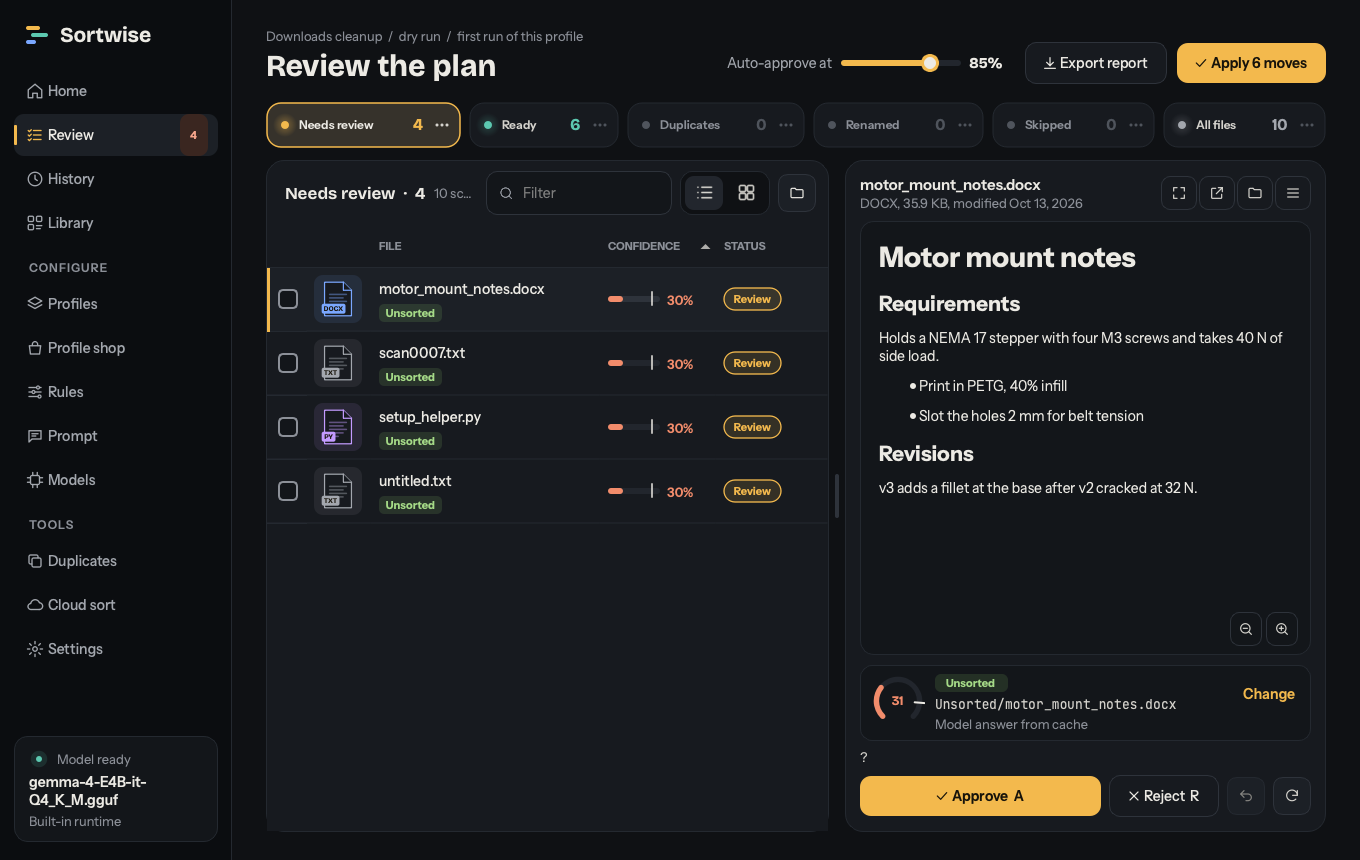
Your rules always win. Files the model isn't sure about wait for you in Review, and you see the final folder tree before you apply anything.
Local AI file organizer
Point Sortwise at a folder or a whole drive. It reads what is inside your files, decides where each one belongs, and shows you the plan before anything moves. The model runs on your own computer.
Windows, macOS and Linux
Why Sortwise
PDFs, Office documents, code, text in screenshots and scans, speech in recordings, photo EXIF data, even where a file was downloaded from.
Your rules always win. Files the model isn't sure about wait for you in Review, and you see the final folder tree before you apply anything.
Sortwise never deletes a file. Every move is journaled, interrupted runs resume, and a whole run can be undone.
Models run locally through Ollama, LM Studio, llama.cpp or the built-in runtime. Offline mode blocks every request that leaves your network.
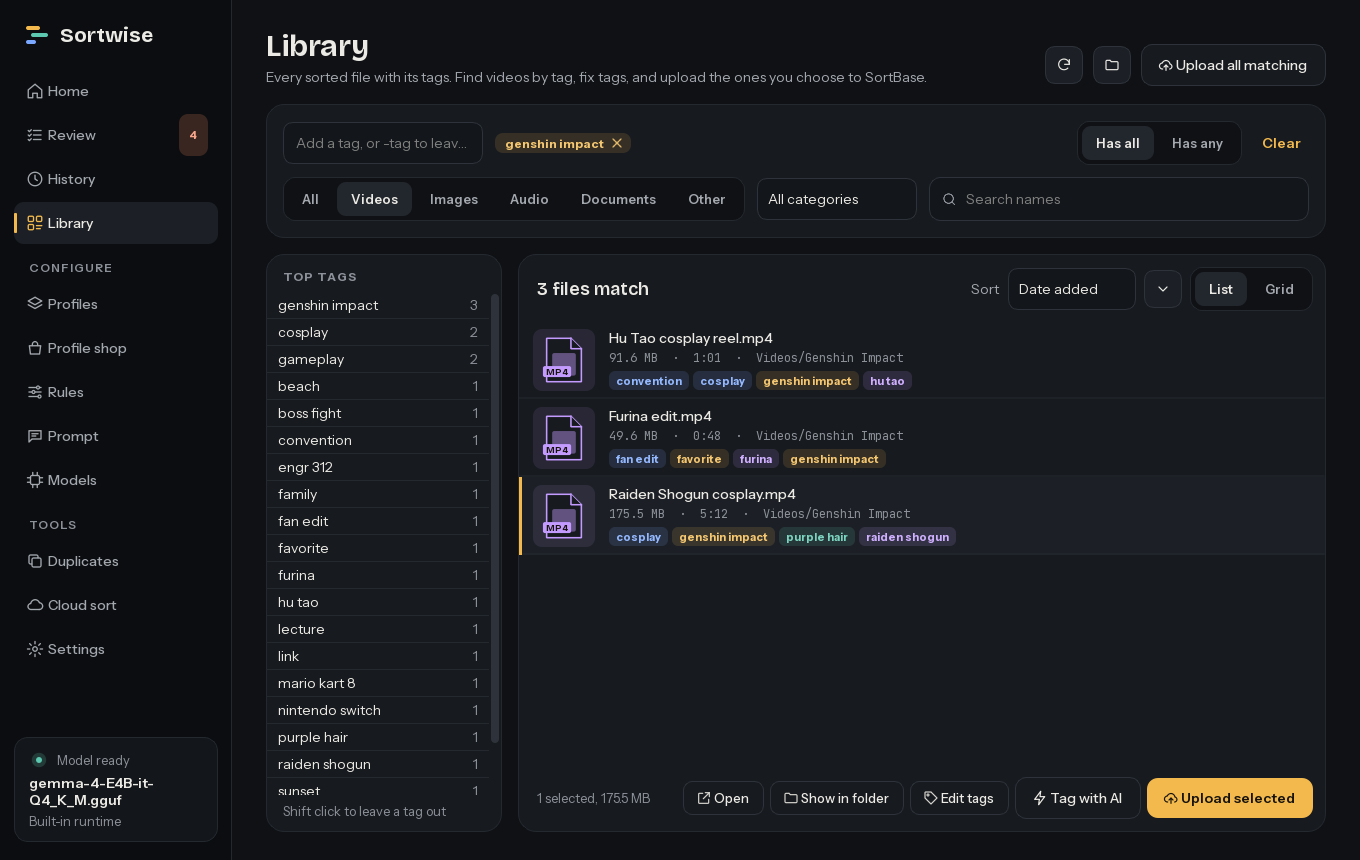
Every sorted file is tagged and searchable, including plain questions like "the lease thing from last spring".
The setup wizard finds models already on your computer, or recommends one for your hardware and downloads it.
Tidy Downloads or the Desktop in one click, or start from a profile such as Student, Photos by date or Receipts and bills.

Download
These links always point at the newest release.
Windows 10 and 11, 64-bit.
Installer Portable zipApple silicon. Drag Sortwise to Applications; the disk image shows how to open it the first time.
Disk imagex64. Unpack it and run install.sh to add Sortwise to the applications menu.
Getting started
The wizard finds Ollama, LM Studio or .gguf models you already have, or sets one up for you. You can also skip the model and sort by rules and file types only.
Drop a folder on Home, use Clean up for Downloads or the Desktop, or start from a template.
Each file shows where it's going and how sure Sortwise is. Approve, reject or redirect anything, then click Apply.